
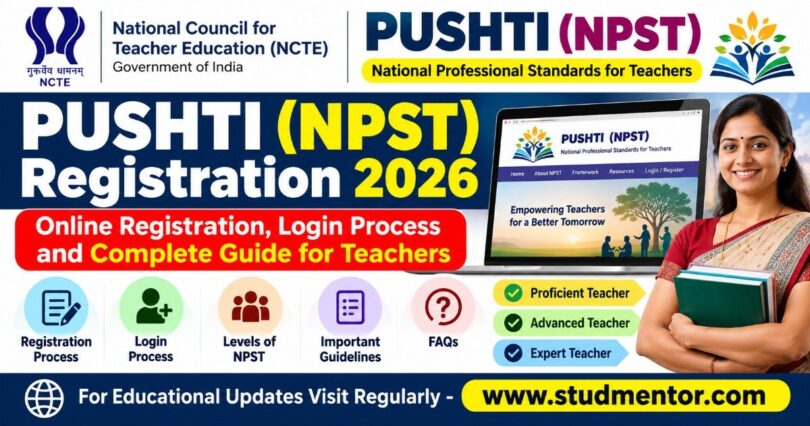

Learn about PUSHTI (NPST) Registration 2026, the official NCTE portal, online registration, login process, teacher competency levels and support details.
PUSHTI (NPST) Registration 2026: Online Registration, Login Process and Complete Guide for Teachers
The National Council for Teacher Education (NCTE), under the Ministry of Education, Government of India, provides the PUSHTI (NPST) portal to support the professional development and competency of teachers across India.
Teachers can visit the official portal to learn about the National Professional Standards for Teachers (NPST), explore teaching resources, and access available registration and login facilities.
In this article, we explain the PUSHTI (NPST) portal, its purpose, the registration process, login procedure, and important instructions for teachers.
What is PUSHTI (NPST)?
NPST stands for National Professional Standards for Teachers. PUSHTI (NPST) establishes professional standards that describe the knowledge, skills, values, and competencies expected of teachers at different stages of their careers.
The framework aims to improve teaching quality, strengthen professional development, and support better learning outcomes for students.
The official portal is available here:
Official Website: https://npst.ncte.gov.in/
Objectives of PUSHTI (NPST)
The main objectives of PUSHTI (NPST) are:
- To improve the quality of teaching in schools.
- To strengthen teachers’ professional knowledge and classroom practices.
- To promote ethical values and professional responsibility.
- To encourage continuous professional growth and development.
- To establish professional competency standards for teachers.
Levels of PUSHTI (NPST)
The portal describes three levels of teacher expertise:
- Proficient Teacher (Praveen Shikshak)
- Advanced Teacher (Unnat Shikshak)
- Expert Teacher (Kushal Shikshak)
These levels represent different stages of professional expertise under the NPST framework.
PUSHTI (NPST) Registration Process
Teachers who wish to register should follow the instructions available on the official portal.
Step 1: Open the official PUSHTI (NPST) website: https://npst.ncte.gov.in/
Step 2: On the homepage, look for the Login / Register option.
Step 3: Click the option and check the registration choices displayed on the portal.
Step 4: Follow the on-screen instructions to register or access the appropriate account.
Step 5: Enter the information requested by the portal, such as professional details and any required verification information.
Step 6: Complete the verification process, if required, and submit the registration form.
Step 7: Save any confirmation or registration details provided by the portal for future reference.
Note: The exact registration fields, verification method, and eligibility requirements should be confirmed on the live portal. Follow the latest instructions displayed there.
PUSHTI (NPST) Login Process
Already registered teachers can follow these steps to access the portal:
- Visit https://npst.ncte.gov.in/
- Click on Login / Register.
- Select the appropriate login option.
- Enter the credentials or complete the verification process requested by the portal.
- Submit the details to access the account, if login is available for your user category.
If you cannot log in, check your credentials, internet connection, and any instructions displayed on the website. Use the portal’s official support channel if the issue continues.
What Should Teachers Keep Ready?
Before starting registration, teachers should keep the following information readily available, where applicable:
- Valid mobile number and email address.
- Personal and professional details.
- School or institutional information.
- Any identity or verification details requested by the portal.
- Existing login credentials, if already registered.
Do not share passwords or OTPs with anyone.
Important Instructions for Teachers
- Always use the official NCTE portal for registration and login.
- Enter your information accurately.
- Read the instructions before submitting any form.
- Check official announcements for registration schedules, assessment details, and further guidelines.
- Do not assume that registration automatically means eligibility for an assessment, certificate, promotion, or salary benefit.
Contact and Technical Support
For assistance, refer to the contact details published on the official portal:
National Council for Teacher Education (NCTE)
G-7, Sector-10, Dwarka, Near Metro Station, New Delhi – 110075
Telephone: 011-20893266 / 011-20893267
Portal: https://npst.ncte.gov.in/
Teachers should use the latest support contact details shown on the official website.
Conclusion
PUSHTI (NPST) is an important initiative to strengthen teacher professionalism and improve the quality of education in India. Teachers should visit the official portal, review the latest instructions, and complete registration or login formalities according to the facilities currently available.
For the latest educational updates, notifications, and teacher-related information, keep visiting studmentor.com
Thanks to Beloved Readers.